Setuid Integrity
Find setuid/setgid programs and file capabilities that could let someone become root, and fix them in one click.
Interactive Demo
Try it on the real screens: click the highlighted spot to do each step, or press Watch it.
About This Page
Checks every setuid/setgid program and every file with Linux capabilities. Each one is compared with the OS package database (rpm or dpkg) — checksum, permissions, owner/group, capabilities and presence — and the ones that could let someone become root are flagged: shell copies, root programs others can replace, dangerous capabilities and new unknown root programs.
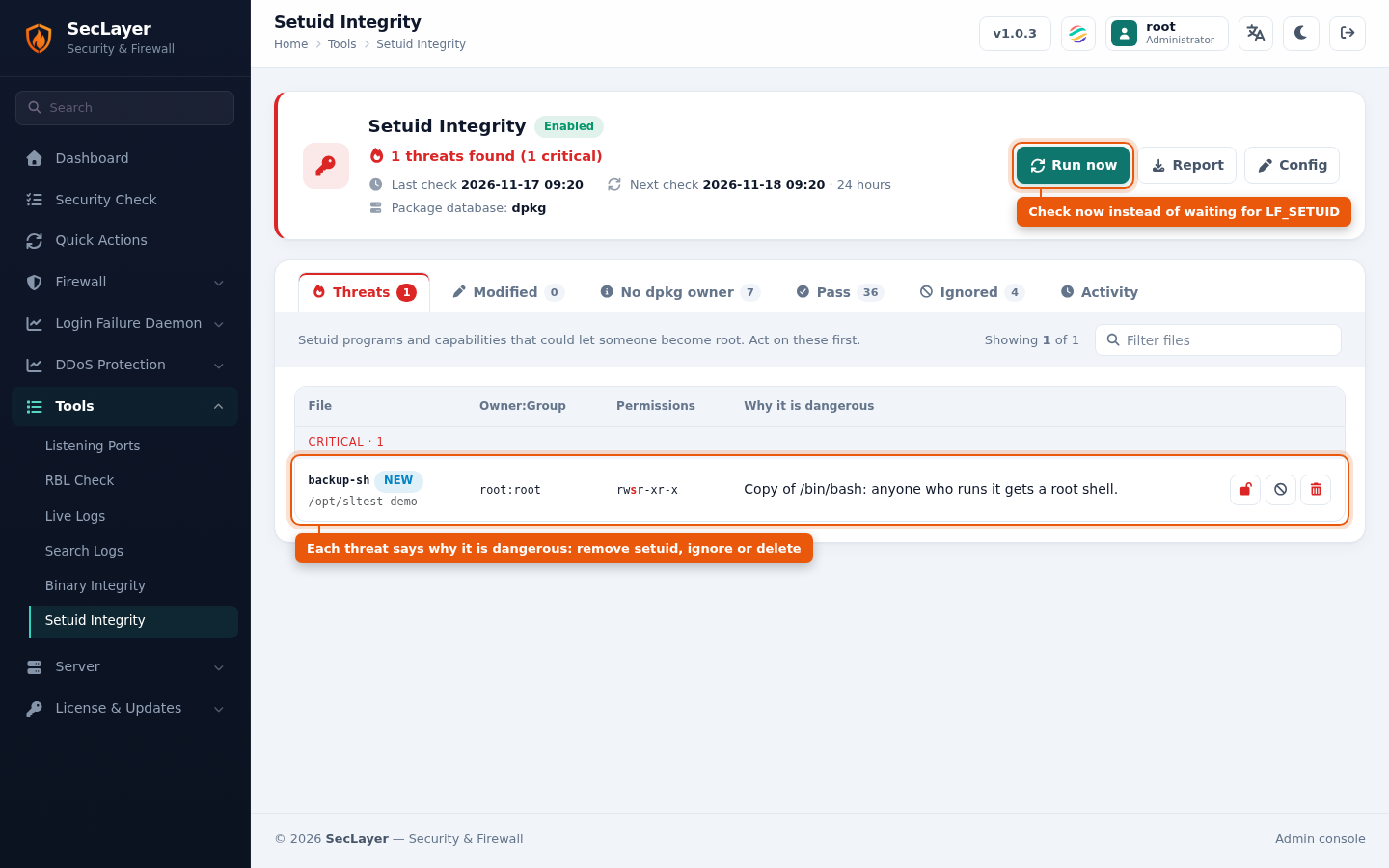
- Threats — files that could give root, grouped by severity (critical, high), each with the reason it is dangerous.
- Modified — packaged files that differ from what their package installed.
- No package owner — setuid files that no package installed, listed for review.
- Pass — packaged programs exactly as their package installed them.
- Ignored — files the check skips; use Stop ignoring to check one again.
- Activity — what the check found and every action taken, newest first.
How to Use
- Navigate to Tools > Setuid Integrity.
- Click Run now to check immediately, or wait for the next scheduled check.
- Open Threats and, for each file, choose:
- Remove setuid — clears the setuid/setgid bit (and any capabilities).
- Ignore — the check skips the file from now on.
- Delete permanently — removes the file. This cannot be undone.
- Confirm the action. It is recorded under Activity.
Configuration
- The check interval is
LF_SETUIDinseclayer.conf, in seconds (default86400, daily);0disables it. Every run mails a report. - Ignored files are kept in
seclayer.setuidignore, editable under LFD > Ignore Files. Full paths, or Perl regular expressions when the line contains*. - On
dpkgsystems, which do not record permissions or owners, those are compared with the first check. - File capabilities need
getcap(packagelibcap2-binon Debian/Ubuntu,libcapon AlmaLinux/Rocky/RHEL). - From the command line:
seclayer --setuid-checkruns a check now, andseclayer --setuid-action remove|ignore|unignore|delete PATHacts on a checked file (see CLI Utilities).