Binary Integrity
Check the server's system binaries against the package database, so a replaced or tampered program stands out.
Interactive Demo
Try it on the real screens: click the highlighted spot to do each step, or press Watch it.
About This Page
Checks the server's OS binaries against the checksums in the package database (rpm or dpkg) and against an md5sum baseline taken when LFD starts. It is a last-line intrusion check: a system program that no longer matches its package may have been replaced.
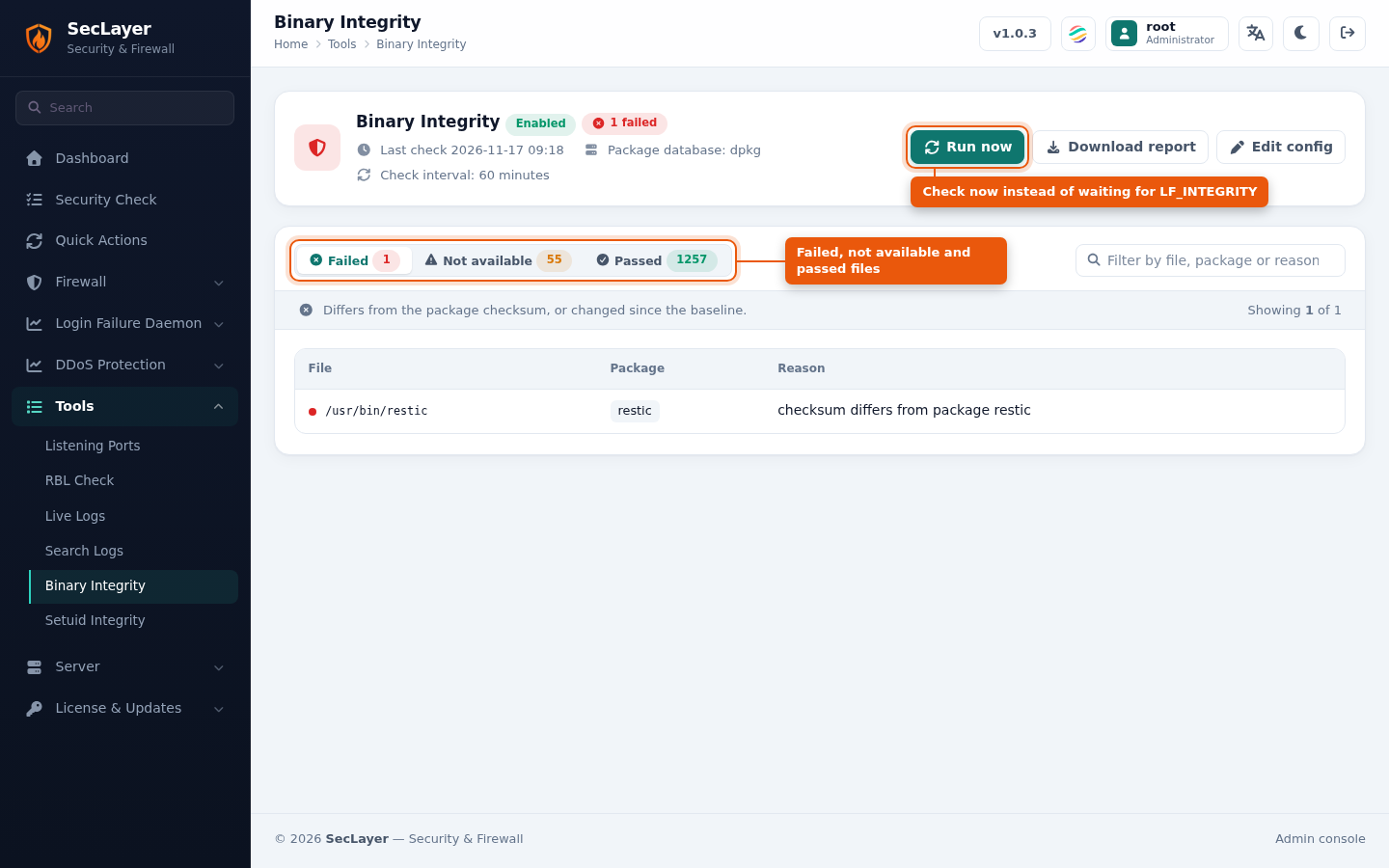
- Failed — differs from the package checksum, or changed (or went missing) since the baseline.
- Not available — files that no package covers, so there is no checksum to compare with.
- Passed — files that match their package.
- Filter — narrow a list by file, package or reason.
- Download report — the full result as CSV.
Every run also mails a report listing failed files first, then files not available, then passed files. Expect some failures after routine OS/package updates.
How to Use
- Navigate to Tools > Binary Integrity.
- Click Run now to check immediately, or wait for the next scheduled check.
- Review the Failed list. Reinstall the package for any file you did not change yourself.
Configuration
The check interval is LF_INTEGRITY in seclayer.conf, in seconds; 0 disables it. Use Edit config to open it in Configuration. From the command line, seclayer --integrity runs a check now and mails the report (see CLI Utilities).