Cloudflare Proxy
Let only Cloudflare reach your web ports, so nobody can bypass Cloudflare by hitting the server IP directly.
Interactive Demo
Try it on the real screens: click the highlighted spot to do each step, or press Watch it.
About This Page
For servers whose sites are all proxied through Cloudflare. When proxy mode is on, ports 80 and 443 are removed from TCP_IN/TCP6_IN and opened only to Cloudflare's published edge IP ranges (cloudflare.com/ips). Anyone connecting to the server IP directly on those ports is dropped by the firewall.
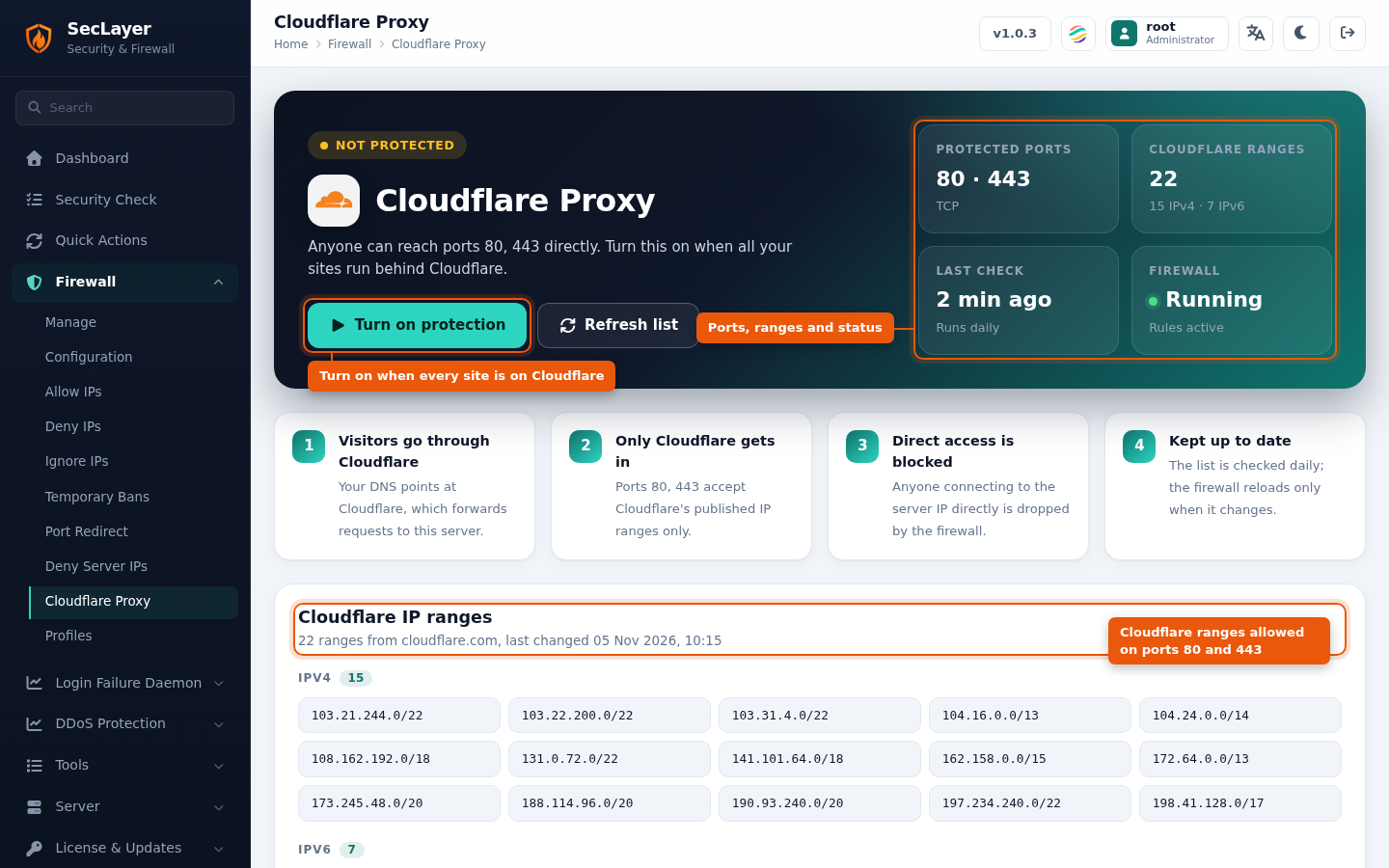
- Status tiles — the protected ports, the number of cached Cloudflare ranges (IPv4 and IPv6), when the list was last checked and whether the firewall is running. If the firewall is stopped, the rules are not active until you start it.
- Cloudflare IP ranges — the ranges currently allowed on ports 80 and 443, with when the list last changed.
- Refresh list — downloads the Cloudflare IP list now. The list is also checked daily; the firewall reloads only when it changes.
How to Use
- Make sure every site on the server is proxied through Cloudflare (orange cloud). Sites that are not proxied stop working on ports 80 and 443.
- Navigate to Firewall > Cloudflare Proxy.
- Click Turn on protection and confirm. SecLayer downloads the Cloudflare IP list, then reloads the firewall.
- To open the ports to everyone again, click Turn off and confirm. Ports 80 and 443 are put back in
TCP_IN/TCP6_IN.
Notes
- The Cloudflare rules are listed on Allow IPs as port-limited entries, but they are managed only from this page.
- While proxy mode is on, Configuration will not let you add port 80 or 443 back to
TCP_IN; disable proxy mode first. - The setting is
CF_PROXYinseclayer.conf. The downloaded list is cached in/var/seclayer/cloudflare_ips.json. - From the command line:
seclayer --cfproxy-status,--cfproxy-enable,--cfproxy-disableand--cfproxy-refresh. See CLI Utilities.