DDoS Configuration
Configure multi-layer DDoS protection with connection tracking and rate limiting.
Interactive Demo
Try it on the real screens: click the highlighted spot to do each step, or press Watch it.
Overview
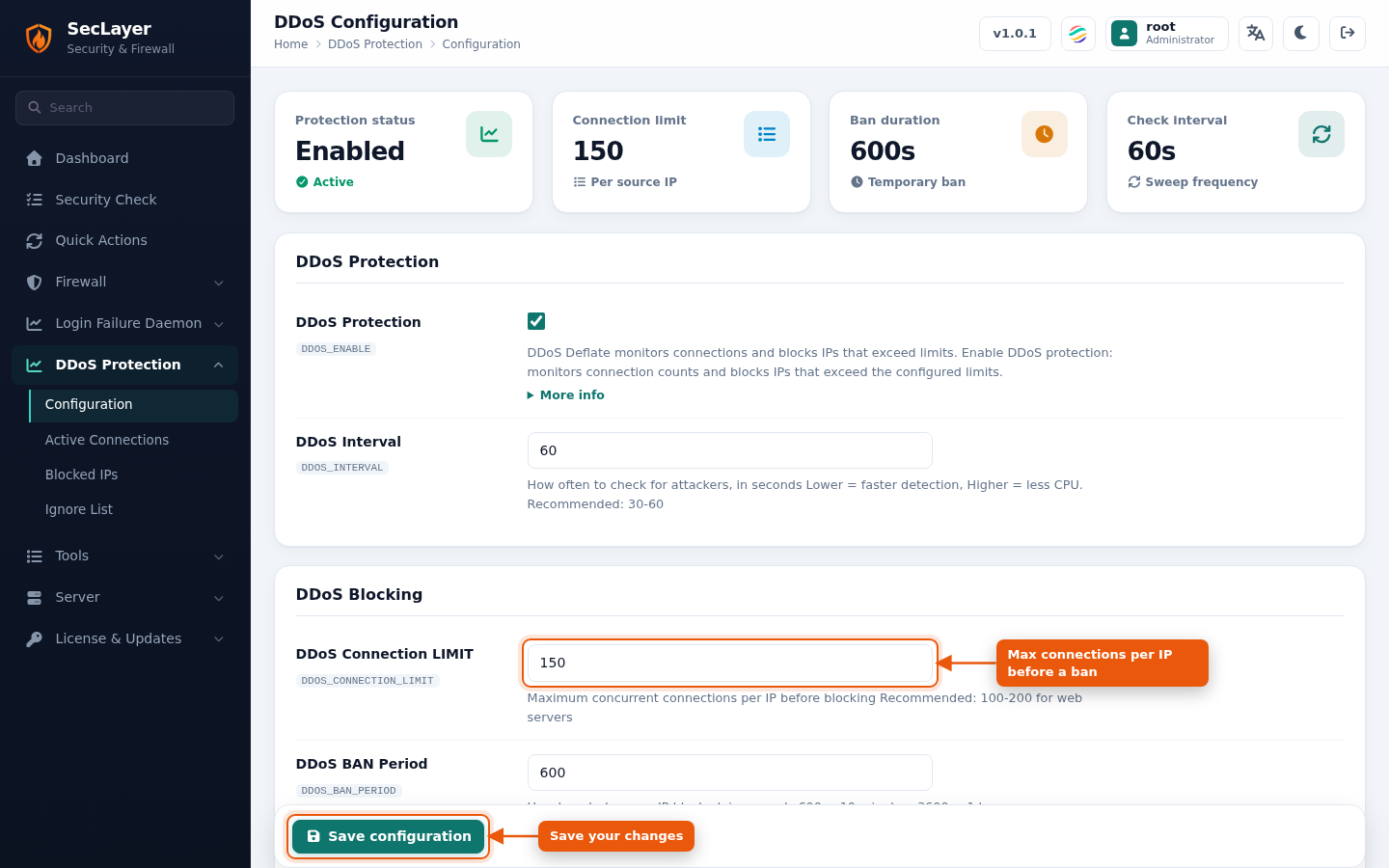
Structured form for the DDoS settings in /etc/seclayer/seclayer.conf. Summary cards at the top show Protection status, Connection limit, Ban duration and Check Interval. The settings are grouped into six sections:
- DDoS Protection — Enable/disable protection and set the check interval.
- DDoS Blocking — Connection limit per IP, ban period and alert email.
- DDoS Per-Port Limits — Per-port connection limits:
port:connections:banperiod. - DDoS Connection States — Which connection states are counted.
- DDoS Bandwidth Control — Bandwidth limit, drop rate and drop period.
- DDoS Cloudflare Support — Cloudflare-aware handling of visitor IPs.
The per-IP and per-port limits set here also drive the Near DDoS limit warnings on the Connection Map, which flags an IP once it reaches 70% of its limit.
How to Use
- Navigate to DDoS Protection > Configuration.
- Toggle settings on or off using the checkboxes.
- Enter values in text fields.
- Click Save configuration.
- Restart the DDoS daemon if prompted.